


I have found the Vikas and he is amazing developer, he had always delivered the product under the timeline, on budget and with 100% accuracy, He is totally problem solving guys.
How To Embbedding youtube video in drupal 7 ?

Embedding video in websites is a common thing these days, and it's lucrative too for the business. Because it attracts new business and helps search engine optimization (SEO). A video can be tagged with certain keywords that can help increases its presence in search results. So here i will show how to embed you tube video in your site through YouTube Field.
Step 1
Download YouTube Field
Go to admin/modules and enable it.
Step 2
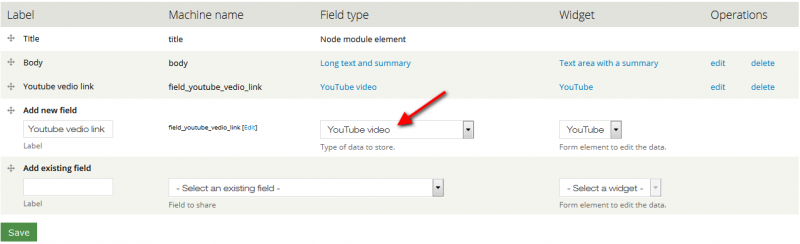
Now create a content type and add field type as YouTube video and save it.
or
You can add field type as YouTube video in existed content type.
Step 3
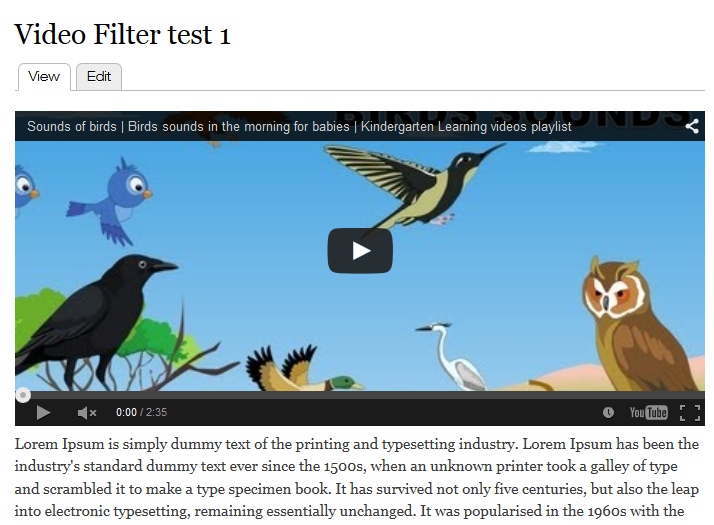
Now create a content through which you have added field type as YouTube video.
Give the video url of youtube which you want to embbed, in your site

Save the content.





































































Add new comment