


I have found the Vikas and he is amazing developer, he had always delivered the product under the timeline, on budget and with 100% accuracy, He is totally problem solving guys.
How To Implement New Comment notification to Author ?
Step 1:
Download Token
Enable Token module
Enable Trigger module.
Step 2:
Go to admin/config/system/actions
Scroll at the bottom of the page and select Send e-mail from Create an advanced action.
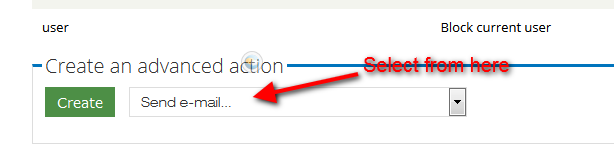
Click on Create button.
Step 3:
Click on Recipient text box, and stay the cursor in this box and Scroll down and find Browse available tokens and click on it.
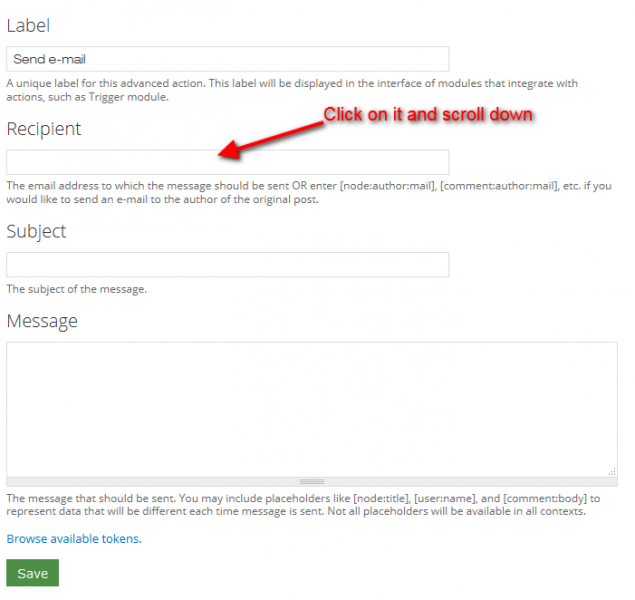
After clicking Browse available tokens, It will open a popup window.
Find Nodes in this popup and click on triangle to expand
Click on Author Triangle. It will also expand it.
Now click on token of email, to put it into Recipient.
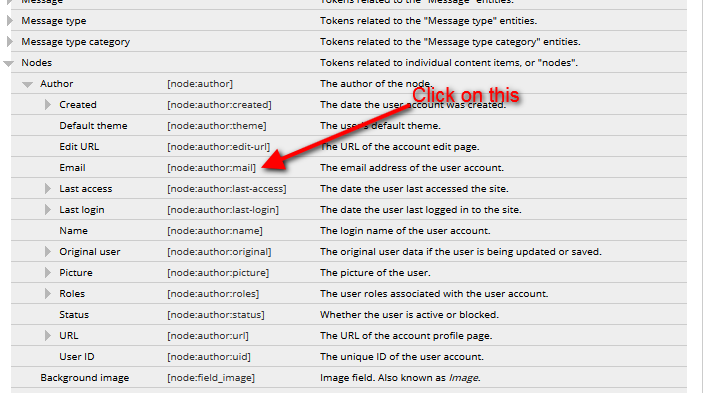
As you will click on the token, it will automatically insert in to Recipient.
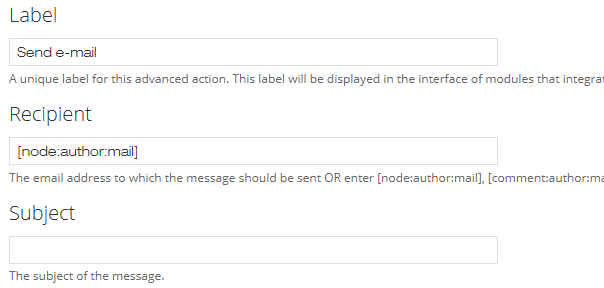
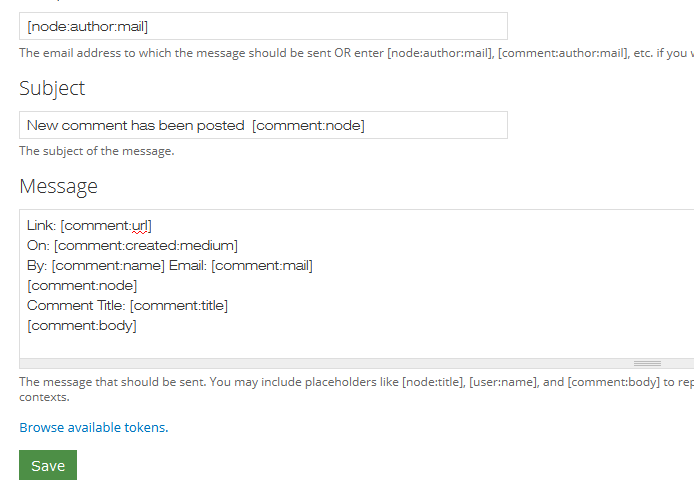
Now Give the Subject, as you want.
In the Message used below token
Link: [comment:url] On: [comment:created:medium] By: [comment:name] Email: [comment:mail] [comment:node] Comment Title: [comment:title] [comment:body]
or you can take other as you want. Whatever you want to show in message. You can add more.
Save the confihuration.
Step 4:
Now time to create Trigger.
Go to admin/structure/trigger/comment.
Select Send e-mail from Trigger: When either saving a new comment or updating an existing comment List of trigger actions when When either saving a new comment or updating an existing comment.
Click on Assign button.

Step 5:
Now all done. You can test it. Got to your content and comment on that and then see result.





































































Add new comment